UptimeScout — manage your sites, certificates and uptime from your own devices.
A native status board for developers and small teams. It runs HTTP(S), TCP, DNS and SSL certificate checks from your Mac, iPhone and iPad, brings in the monitors you already have elsewhere, and shows everything on one board — in the menu bar, on the Lock Screen and in widgets.
macOS 14.0 · iOS 17.0 · iPadOS 17.0 · Universal Purchase
Four kinds of check
Paste an address and UptimeScout picks the right check.
An https address becomes an HTTP monitor named after the host, and offers to watch its certificate too. A host and port becomes a TCP check. Everything is editable afterwards.
HTTP(S)
Expected status codes — 200, 200-299 or 2xx — with an optional keyword the page must contain, over GET or HEAD.
TCP
Time to establish a connection to any host and port, reporting refused, unreachable and not-found separately.
DNS
A, AAAA, CNAME, MX and TXT records, optionally required to equal a value you specify.
SSL
Expiry date, issuer, subject and whether the chain is trusted, read from the certificate the host presents.
When the checks actually run. On a Mac, checks run while it is awake. UptimeScout does not check your services while the Mac is asleep or turned off. On iPhone and iPad, checks run while UptimeScout is open and, when iOS allows, from time to time in the background, so alerts can arrive late. For checks around the clock, run them on a Mac that stays awake, or connect a hosted service as a source — those report their own 24/7 results.
One board
Every monitor in one place, whichever device is watching it.
Checks your Mac runs reach your iPhone through your own private iCloud database. Monitors from the services you connect sit beside them. Problems sort to the top.
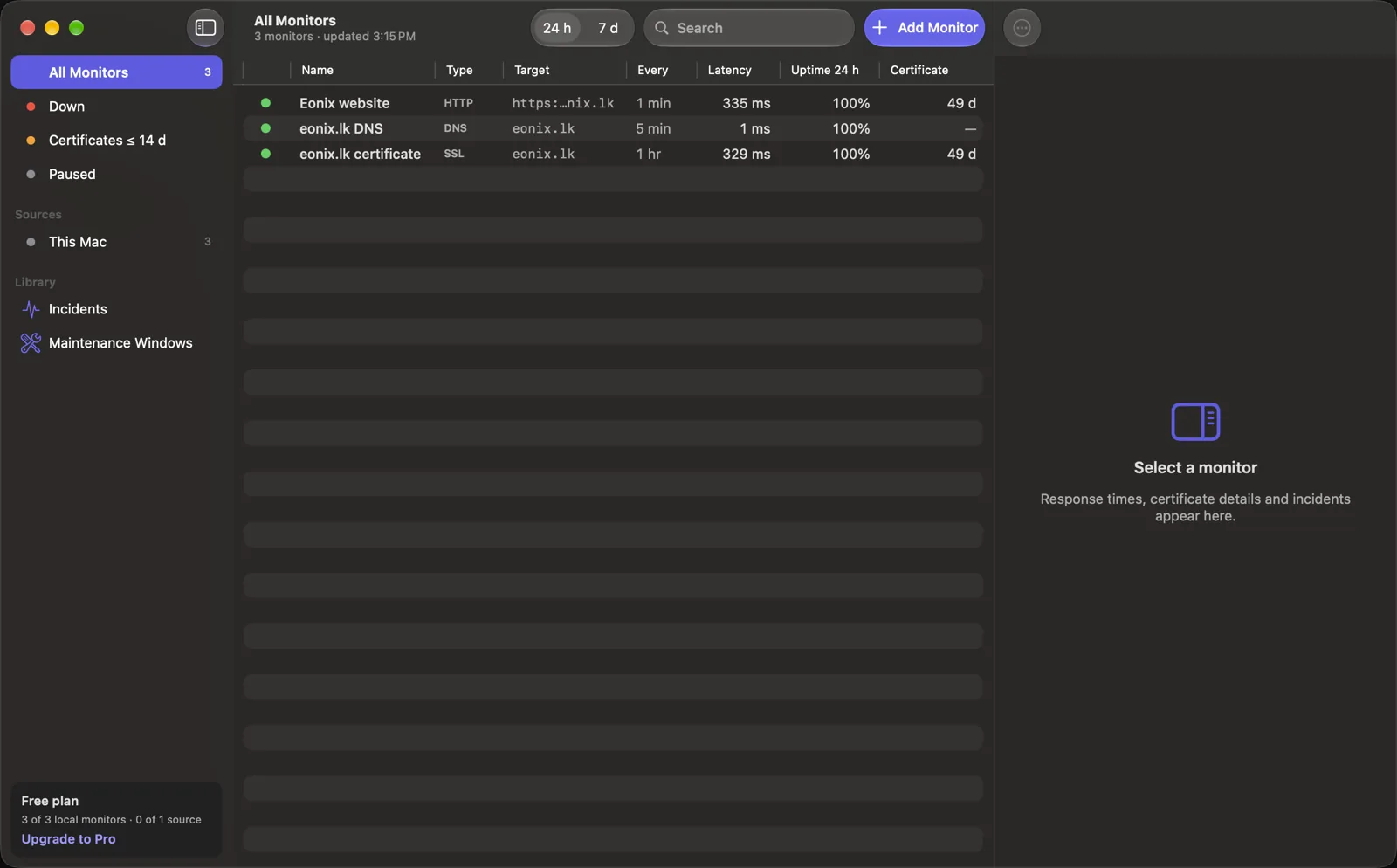
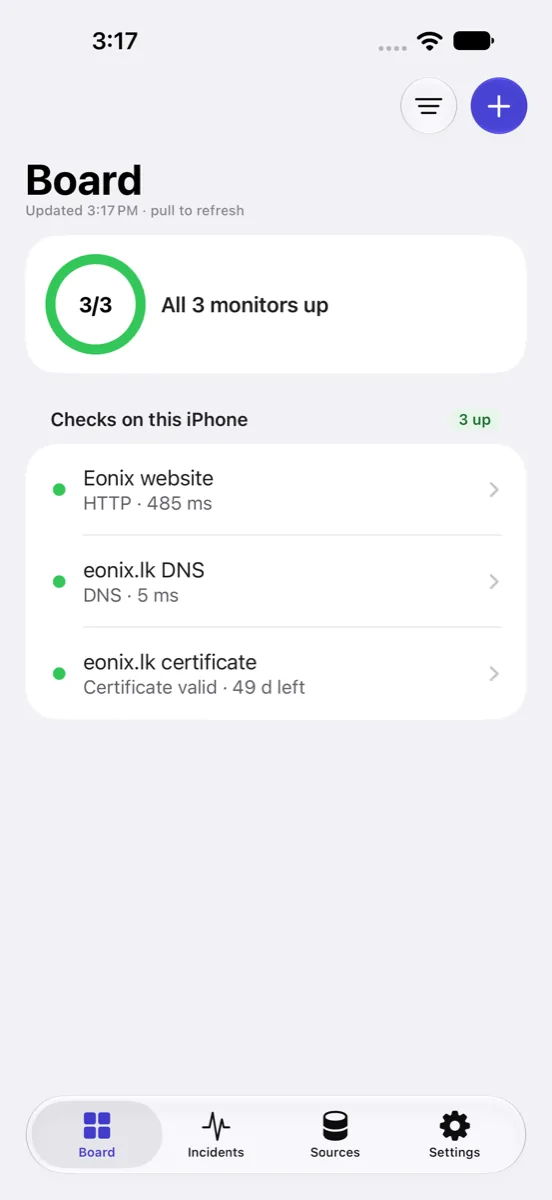
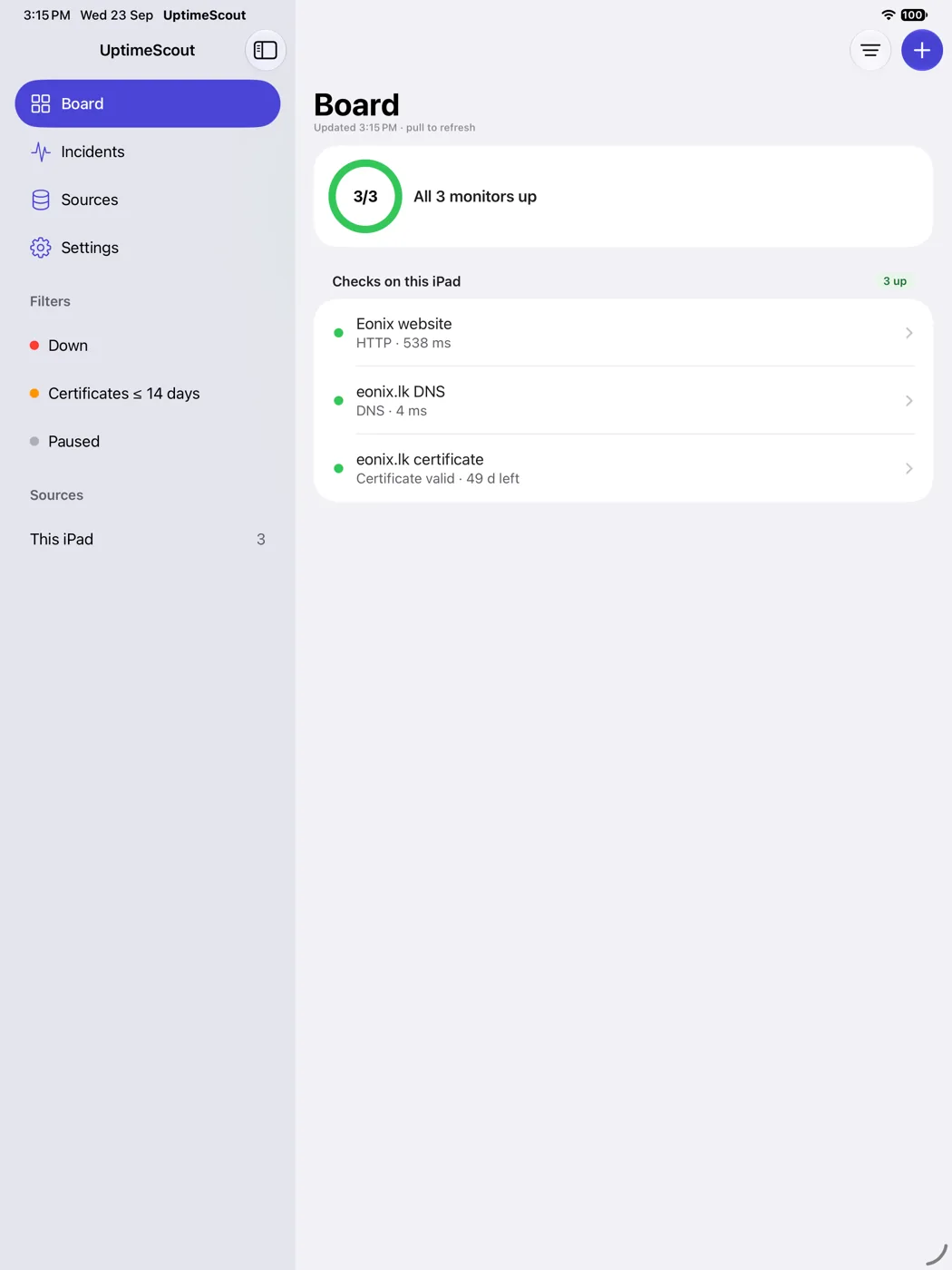
Six states, each with its own shape as well as its own colour — the board stays readable with Differentiate Without Color turned on, and for anyone who does not see the difference between red and green.
Private by design
An uptime tool that collects nothing.
Monitoring means handing a tool the addresses of everything you run, and often a key to the service that watches them. UptimeScout is built so that neither ever leaves your devices.
No account, no server
There is nothing to sign up for and nothing of yours on our machines, because there are no machines. Your monitors live on your devices and, if you turn sync on, in your own private iCloud database.
Your keys stay in the Keychain
A read-only key for a service you connect is stored in that device's Keychain, never synced, exported or logged, and sent only to the provider you configured it for.
No analytics, ever
No tracking, no crash-reporting SDK, no third-party code. The app has no telemetry at all, so the only thing we know about your usage is what you choose to tell us.