Checks
Four kinds of check, run from your own devices.
No probe network, no third party in the middle — the request to your service comes from a machine you own, which is also why what UptimeScout can promise depends on that machine being awake.
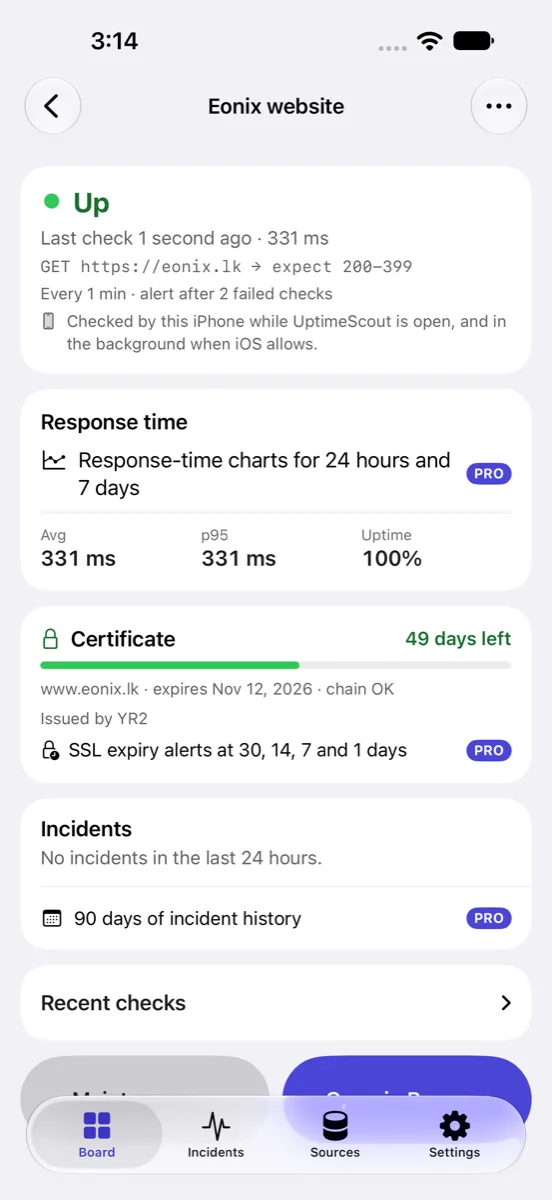
Every check states its own rule in plain words — what it asks for, what answer it expects, how often it runs, how many failures open an incident, and which device is doing the asking. That last line matters more than it looks: a check runs on exactly one of your devices, and the app always tells you which, and when that device can actually run it.
HTTP(S)
Asks for a page and decides whether the answer is the one you expected.
- Expected status accepts a single code (200), a range (200-299) or a class (2xx). The default is 200-399.
- An optional keyword must appear in the page, matched case-insensitively in the first megabyte of the body.
- GET or HEAD, your choice.
- Each check uses a fresh, ephemeral connection with no cookies and no cache, so a check cannot be fooled by a previous one.
- Plain http:// is accepted only for addresses on your local network.
TCP
Measures how long a host and port take to accept a connection.
- Times the connection itself, not a request on top of it.
- Reports refused, unreachable and host-not-found as distinct failures rather than one generic error.
- Useful for a database, a mail server, a game server or anything else that is not HTTP.
DNS
Checks that a name still resolves, and resolves to what it should.
- Queries A, AAAA, CNAME, MX or TXT records.
- An expected value can be required, and an address answer must equal it exactly — so a record hijacked to 110.0.0.10 never passes for 10.0.0.1.
- Falls back to the system resolver for A and AAAA if the DNS service is unavailable.
SSL certificate
Reads the certificate a host presents and tells you when it expires.
- Reports the expiry date, the issuer, the subject and how long is left.
- Uses the operating system's own trust evaluation, never a custom trust store and never an override — an expired, not-yet-valid or untrusted certificate fails.
- A certificate with under 14 days left shows the monitor as degraded, whatever its HTTP status.
- Adding an https address offers to watch its certificate too, on an hourly check.
Honesty about coverage
When the checks actually run.
This is the limit of a monitoring tool with no server behind it, and it is stated here for the same reason the app states it on its own board: you should know before you rely on it.
On a Mac
On a Mac, checks run while it is awake. UptimeScout does not check your services while the Mac is asleep or turned off.
On iPhone and iPad
On iPhone and iPad, checks run while UptimeScout is open and, when iOS allows, from time to time in the background, so alerts can arrive late.
Around the clock
For checks around the clock, run them on a Mac that stays awake, or connect a hosted service as a source — those report their own 24/7 results.
UptimeScout is not a substitute for a redundant, always-on monitoring system, and should not be the only thing watching something critical.
Incidents
One blip is not an outage.
A check that fails once is usually a network hiccup. UptimeScout waits for the failure to repeat before it calls it an incident, and you decide how many times.
- An incident opens only after the number of consecutive failures you choose — two by default, anywhere from one to ten — so one blip does not wake you.
- It records the first failure's time and message as the start and the cause, and resolves on the next success.
- Opening and resolving one sends a notification: “X is down”, then “X recovered”.
- Monitors read from a connected service open an incident on the first down report, because the service has already applied its own confirmation.
- A maintenance window suppresses incidents and alerts, and shows the monitor as under maintenance.
The six states a monitor can be in
The last check succeeded.
The latest check failed but no incident is open yet, or a certificate expires in under 14 days.
An incident is open.
A maintenance window is active, so alerts are suppressed.
No result yet — it has not run.
You turned it off.
Limits and retention
The numbers, before you plan around them.
What a check accepts
| Check interval | up to 86,400 s (24 hours) |
|---|---|
| Timeout | 1–30 s, always shorter than the interval |
| Failures before an incident | 1–10 (default 2) |
| Maintenance windows per monitor | up to 20 |
| Name · address · keyword | 80 · 2,048 · 256 characters |
How long results are kept
| Individual check results | 7 days |
|---|---|
| 15-minute summaries | 24 hours |
| Incidents | 90 days after they end |
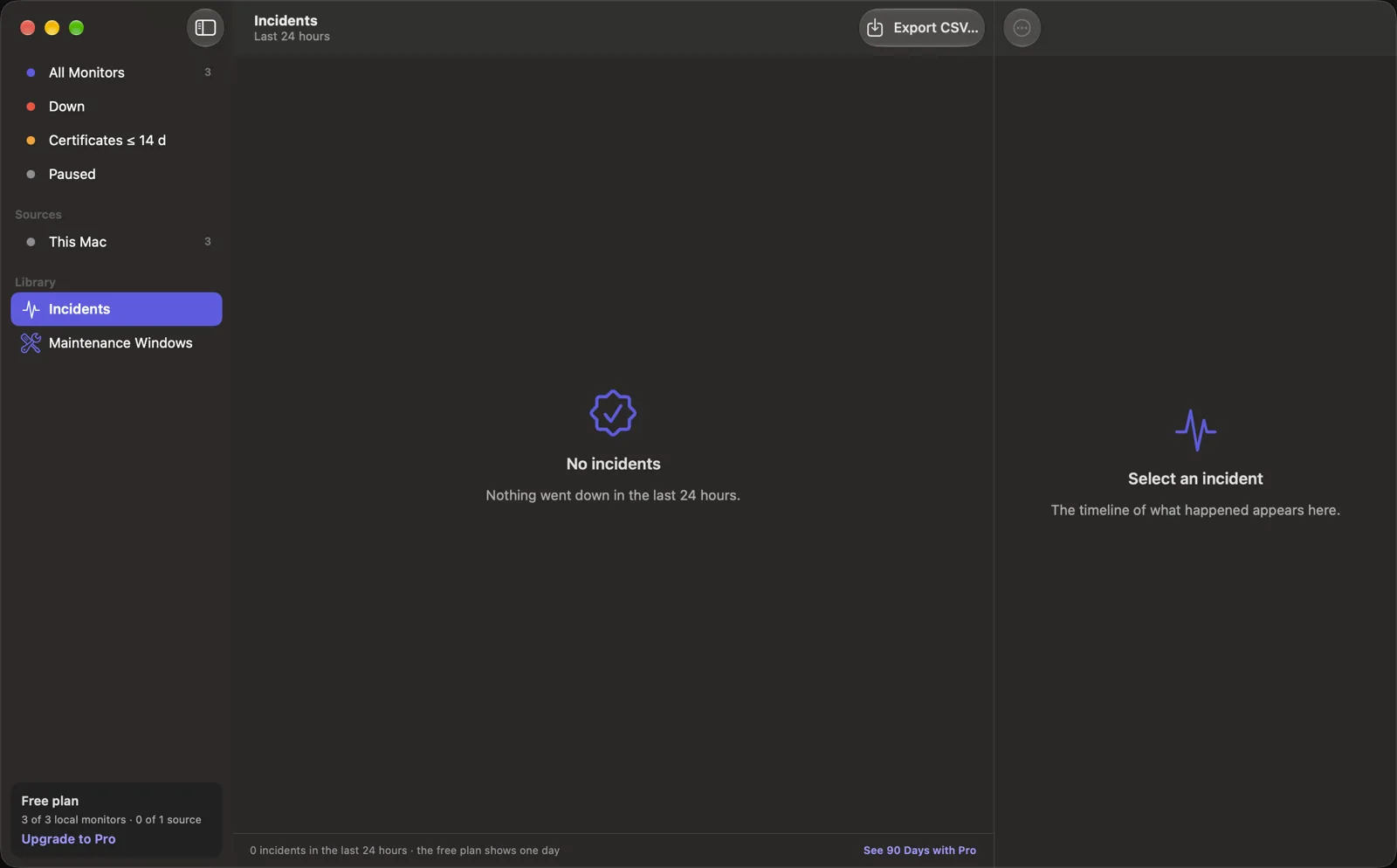
Old data is removed automatically, at most once a day, when the app launches. On the free plan the last 24 hours of incidents are shown; the rest are kept and appear if you upgrade.